I’ve got a Joya Touch 22 running Android 11, and I’m running into a problem with pairing bluetooth devices from my .NET MAUI app using the Xamarin SDK. The app needs to connect to a bluetooth printer and be able to print to that printer. The problem I’m running into is that on the Joya 22, every time the app connects to the printer, even if it is already paired, android is popping up the “Do you want to pair” notification, and even will sometimes show 2 notifications (first I have to hit Connect & pair on a drop-down notification, next I have to hit “Pair” on a pop-up).
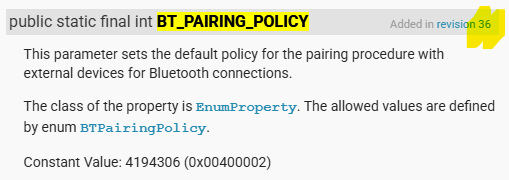
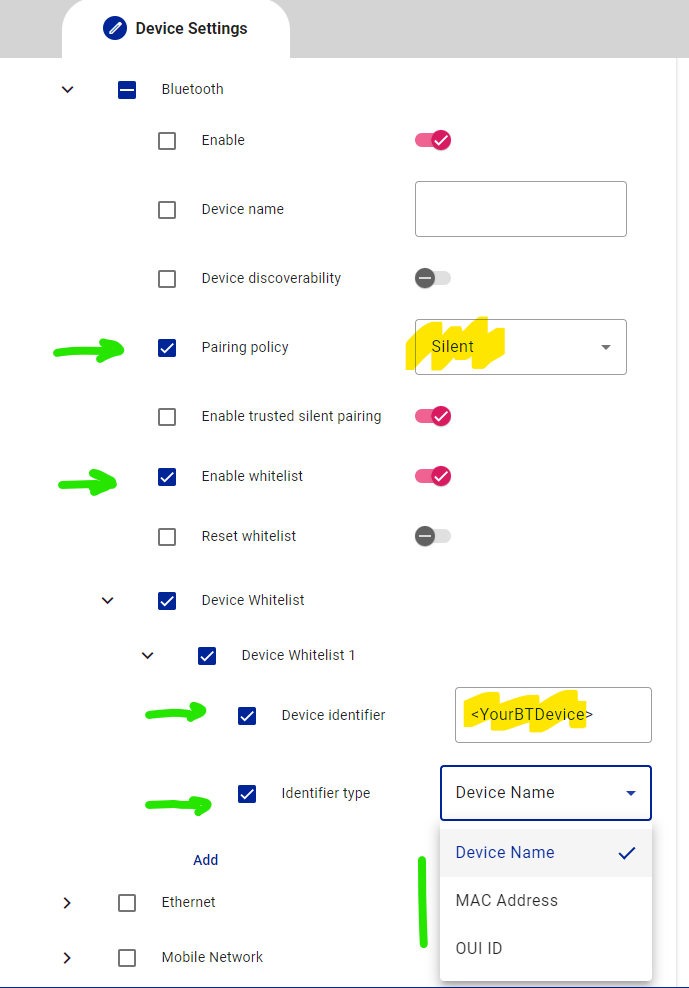
I thought that the SDK component BTPairingPolicy would let me get around this, but when I try to access that configuration with the SDK, I am getting back null. I can see the other propertyGroups though, just not the bluetooth one. I am using the latest version of the SDK available on nuget. I’ve also tried setting this policy using Scan2Deploy, and it seems to have no effect.
I would normally think that my device simply doesn’t support silent pairing on this Android 11 build. However, when I pair the printer with Datalogic Queuebuster, which we also use on some devices, that immediately fixes the issue, which makes me thing that Queuebuster is setting this configuration correctly.
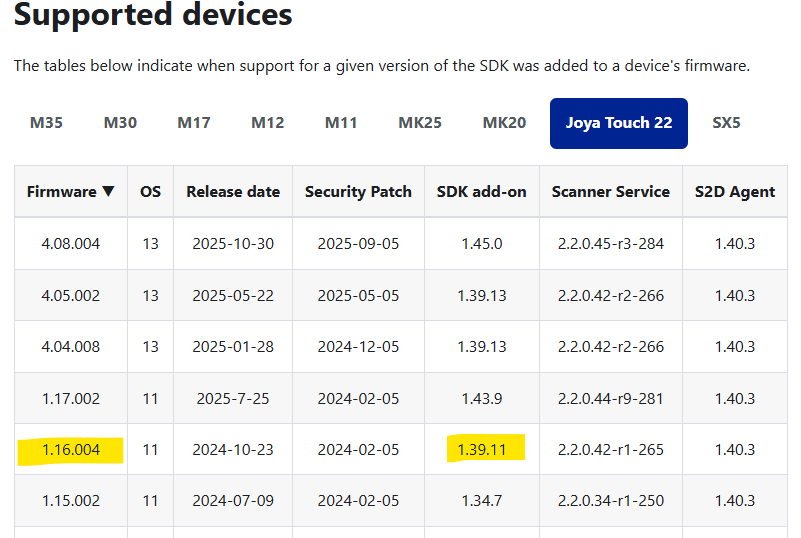
Is there a way I can check for certain if this configuration is supported by my device and firmware revision? My current build number is 11.16.004.20241002s.