We have Memor 30s and I was trying to use InTune to manage them. As soon as I sign in to setup InTune on the device, it instantly removes all of the datalogic software. I am able to get Launcher, Browser, Wifi Guard and Datalogic Settings back on, but for the life of me, I cannot get Scan2Deploy onto the handheld. I know this has to be possible, as I have ONE functioning handheld on InTune. I have no idea what I did differently, as I wrote all the steps down and when I repeat them, Scan2Deploy just will not return. I would appreciate any advice. Thanks so much in advance!
Hello @Stacey_Feige
What you’re experiencing is expected behavior: when Intune enrolls a device as Device Owner (DO), Android disables system apps by default as part of the provisioning flow. This is why your Datalogic apps disappear.
The proper way to handle this is to use Scan2Deploy Studio , or device staging and configuration app, to generate an enrollment barcode that triggers Intune provisioning with system apps preserved, rather than signing into Intune manually on an already-running device.
Here’s what to do:
-
Open Scan2Deploy Studio and go to the Enterprise Enrollment page.
-
Select Microsoft Intune as the EMM provider — the required fields will auto-populate.
-
Go to the Advanced tab and enable “Leave All System Apps Enabled”.
-
Fill in your Intune enrollment details, then go to “Save and Print” and generate the barcode.
-
Factory-reset the device, then scan the barcode during the out-of-box setup to provision it correctly from the start.
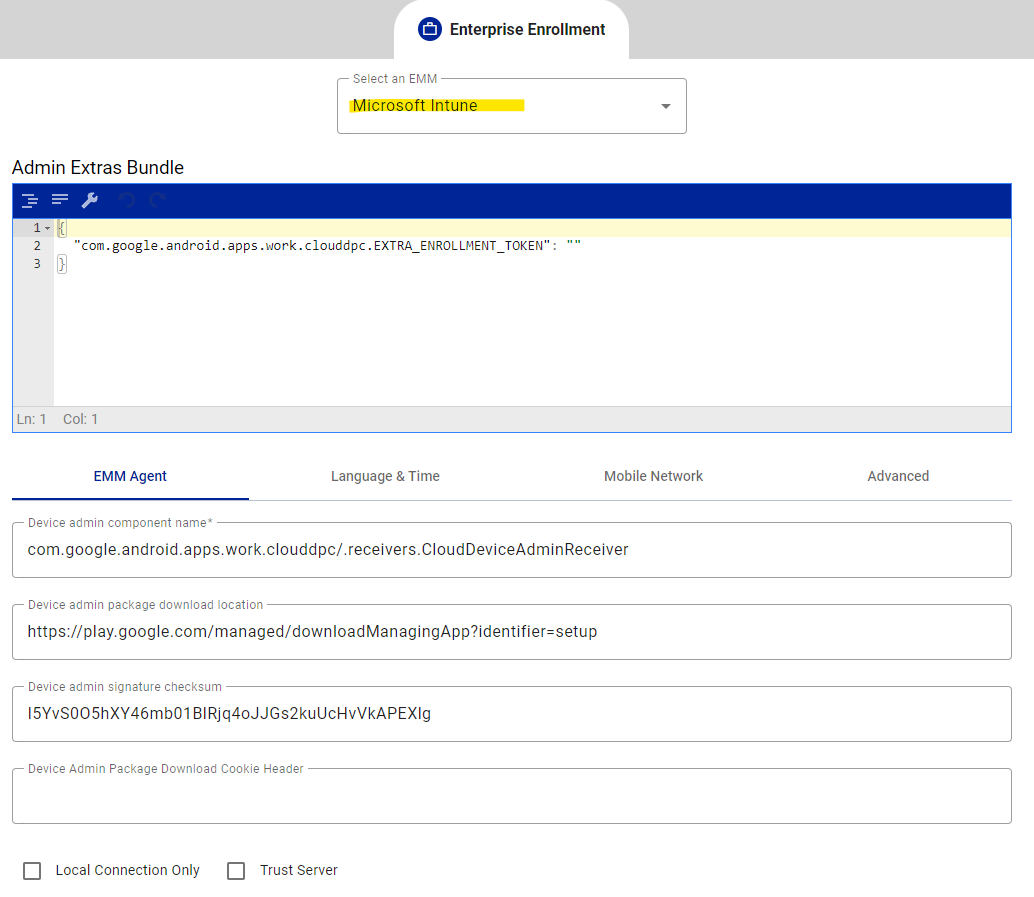

Note: Enterprise Enrollment requires a minimum firmware version. For the Memor 30 on Android 13, that is firmware 1.21.001. Please verify your firmware before proceeding. If your devices are below the minimum version, update the firmware first, or use the Android Enterprise QR Code Generator as an alternative provisioning method, which include the same feature as well.
Full documentation: Scan2Deploy | Enterprise Enrollment Page
This also explains why your one working device behaves differently — it was likely provisioned this way (or with equivalent settings) at some point.
Hope this helps.
Simone Callegari
Datalogic Mobile Products Specialist - L3 SW Engineer
Hi @Stacey_Feige,
When enrolling into an MDM (like Intune) there is the option to have the System apps enabled after enrollment. With our AEQR page you have the option to enable this:
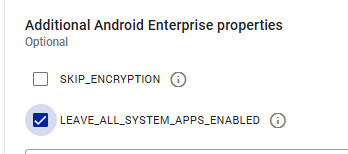
Also with Scan2Deploy Studio you have the option to make an enrollment barcode (for Intune) and optionally combine it with a scan2deploy package. Also there you can leave the system app enabled there.
Gr Peter
1 Like