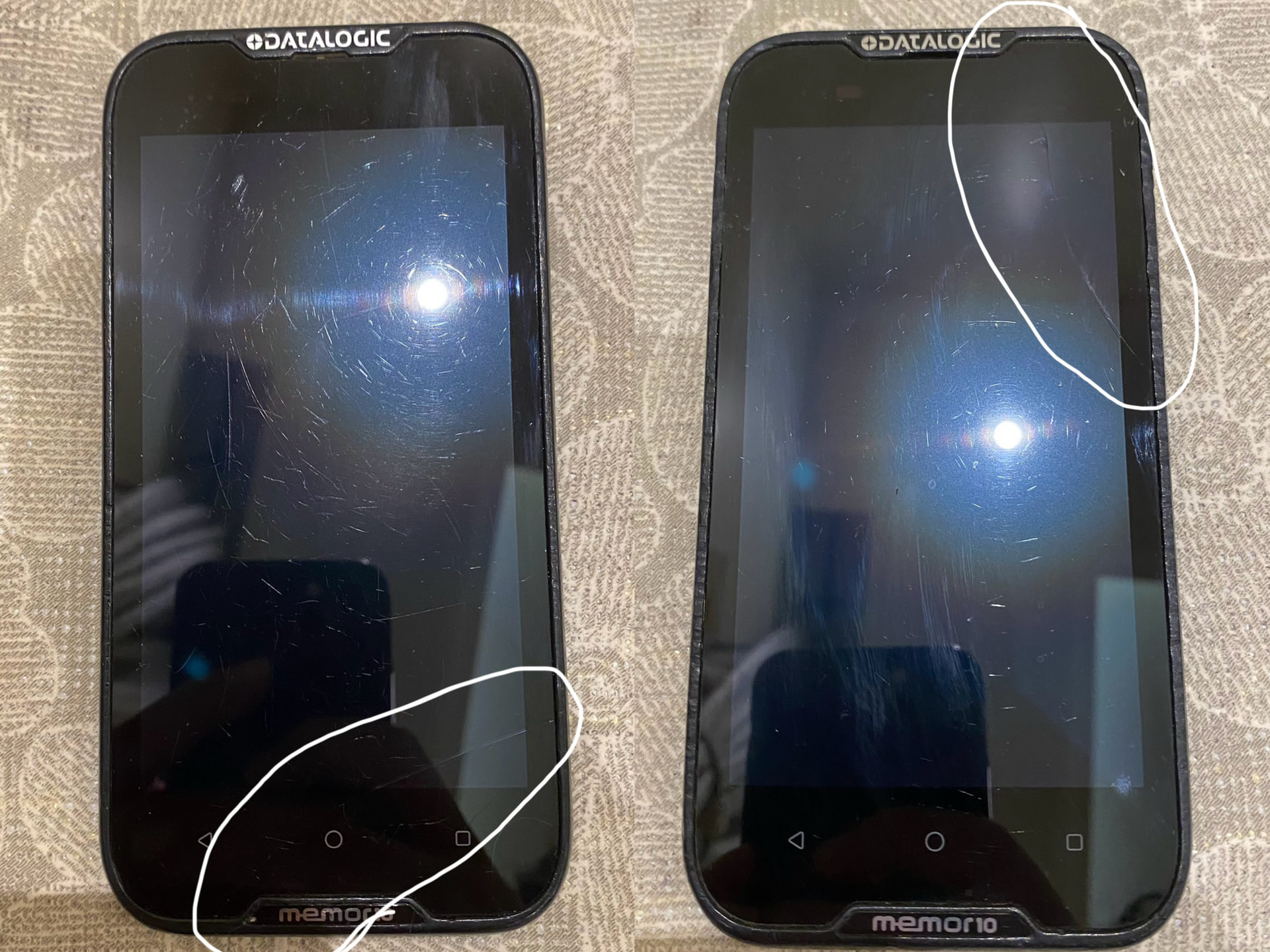
i have two memor 10 devices that was provided to me from my company’s logistics department, after i broke the screen of the first one months ago, another one was provided to me as a replacement, both phones have a broken digitizers but the touchscreen functionality is still working, both phones are on the latest android 10 version, i was told to replace the screens, so i recently ordered two new genuine screen replacement imported from Europe from an authentic distributor that was recommended to me, he also have good reviews, when i gave those new screens along with the phones to a local phone repair shop to replace the screens for me, the store later told me that one was fixed but the other the touch functionality worked on the first boot but after restarting it was not working and when he switched the screen with the other phone it was working properly, both of the new screens work on one phone and doesn’t work with the other but old screen touch works with this phone, the screen worked on the test boot when the store was fixing the phones, and i later verified that at home when i was switching the screens back and forth.
it is weird that on that phone the old screen touch functionality is working but on the new screen it is not working but it is working on the other phone normally. both phones are memor 10 and on the latest firmware of android 10
i need assistance, is there any fix to this issue? like a hard reset or anything that would install drivers and make the kernal work with the screen, thanks in advance.
Based on what you’ve described, the behavior points to a hardware problem on the mainboard of that specific device, rather than a software or driver issue.
Our recommendation is to contact your local Datalogic authorized service center to have that device inspected and repaired. Since the first repair of your device was performed by a third-party shop, please be aware that this may affect the device’s warranty status — the authorized service center will be able to advise you on that.
You can issue an RMA (Return Material Authorization) and get in contact with our repair center here:
i think the motherboard doesn’t have any issues because the touch functionality works on the old broken screen, and also both new screens work on one of the phones but on the other phone they don’t work so also i don’t think that it is a screen issue either, i know it’s very weird and strange behavior, it’s like incompatibility issues with this specific new screen with this specific phone combo, so could it be a software issue like a kernal issue or something similar? do i need to wipe the phone or like calibrate the screen for this specific memor 10 model?
I understand your reasoning, but this behavior is actually consistent with a hardware cause rather than a software one.
Memor 10 is a device launched in 2019 and is end of life since 2024, and over its lifecycle minor hardware revisions on the mainboard or the touch controller IC can occur across different production lots. The new replacement screens likely feature a newer digitizer IC revision that happens to be fully compatible with one phone’s mainboard but not the other’s — there is no software fix for this kind of mismatch.
Additionally, since that device suffered an impact that broke the original screen, we cannot rule out microscopic damage to the FPC connector or power delivery lines — which would explain why the touch worked on the very first boot but failed after a restart.
To directly answer your question: a factory reset (see under: Android Settings / System / Advanced / Reset Options) will not help. Kernel drivers are hardcoded into the system firmware and cannot be reinstalled or changed by a reset. There is also no user-accessible touch calibration tool.
Our recommendation remains to have the device assessed by a Datalogic authorized technician as soon as possible, who can identify the exact cause and advise on repair options.
this reply was really helpful and informative. now i understand the issue more clearly, i have an update, suddenly the screen worked again for several boots but it suddenly stopped working again, is this also because of the different touch controller IC? i am highly sure that it’s not likely that a solder joint is broken under a chip because it was not a hard fall, both phones just fell on it’s face on very small rocks, the cracks are not big
i just want to make that it’s a touch controller IC compatibility issue because this is bad for me and my next and final question is because my company has other memor 10 phones that just has a broken screen they asked me to ask you how can we find out that this screen touch ic is compatible with this board touch ic or not compatible so this screen don’t go to waste and they refund me, is there a chip number/model that should be matched or something like that? so we can match this screen with another phone
me and my company also noted this issue and now understand going forward that screens/parts from distributors/retailers or online sellers are subjected to this incompatibility issue due to different rev., my company has a lot of these phones and will not make this mistake, upcoming repairs will go through official channels. and me personally will not make this mistake again because now this screen is on me because to my company it’s deemed unusable unless you can tell me what to look for so i can match it to another phone with a broken screen. and i will take full responsibility if something happens it’s at my own risk
i would gladly appreciate it and thanks in advance
Regarding your question about cross-matching spare parts compatibility between devices: unfortunately, we are not able to provide component-level details through this forum, and in general we do not recommend attempting to match spare parts sourced outside official channels — the risk of incompatibility, as you have experienced firsthand, is real.
That said, as a last attempt before sending the device in for repair, you can try updating the firmware to the latest available version for Memor 10 (Android 10):
It is possible — though not guaranteed — that an older firmware build cannot fully support certain combinations of older mainboard revisions and newer replacement parts. Updating may resolve the issue on the problematic device. A factory reset afterwards would also be a good measure for a clean state.
However, given the complexity of this situation (devices with different hardware histories, parts sourced outside official channels, component-level behavior), the path we recommend remains the one mentioned previously: submit the device through our official RMA channel.
For further assistance with specific issues, we recommend that you contact our Technical Support team directly: a one-to-one discussion will be far more effective than this public forum:
sorry it didn’t cross my mind that this specific information was confidential. the information you shared was very helpful to understanding what the issue was.
i thought that the retailer was an official distributor because before ordering the screen i emailed them asking if they are official distributors and if the screens are genuine and they said yes, apparently not.
yes i updated both phones through the developers website, the phones are covered under contract, it was an easy process, that was the first thing that the seller suggested when i emailed them about this issue but unfortunately the touch functionality still doesn’t work, was there any step that i should have taken or done while updating the phone firmware? also do you have any recommendations/advice on what should i do in the current situation regarding the phone and the screen? i already contacted my company about the situation and they told me to send them the link you provided.
The firmware update process is straightforward and fully automated — once started, it requires no user interaction. If the update completed successfully and the device rebooted normally, there was nothing else you could have done differently.
We’re sorry for the trouble you’ve been going through.
Since the touch issue persists after the firmware update, a remote diagnosis is unfortunately not possible from here. This type of problem requires the device to be physically inspected by a qualified technician.
The correct path forward is to open an RMA request through our official repair channel:
When submitting the request, please include:
A clear description of the issue
The list of interventions already performed (screen replacement, firmware update, etc.)
The results of your tests (which screen works on which device, boot behavior, etc.)
This information will help the repair center take charge of your device efficiently.
 submit the device through our