Hello everyone,
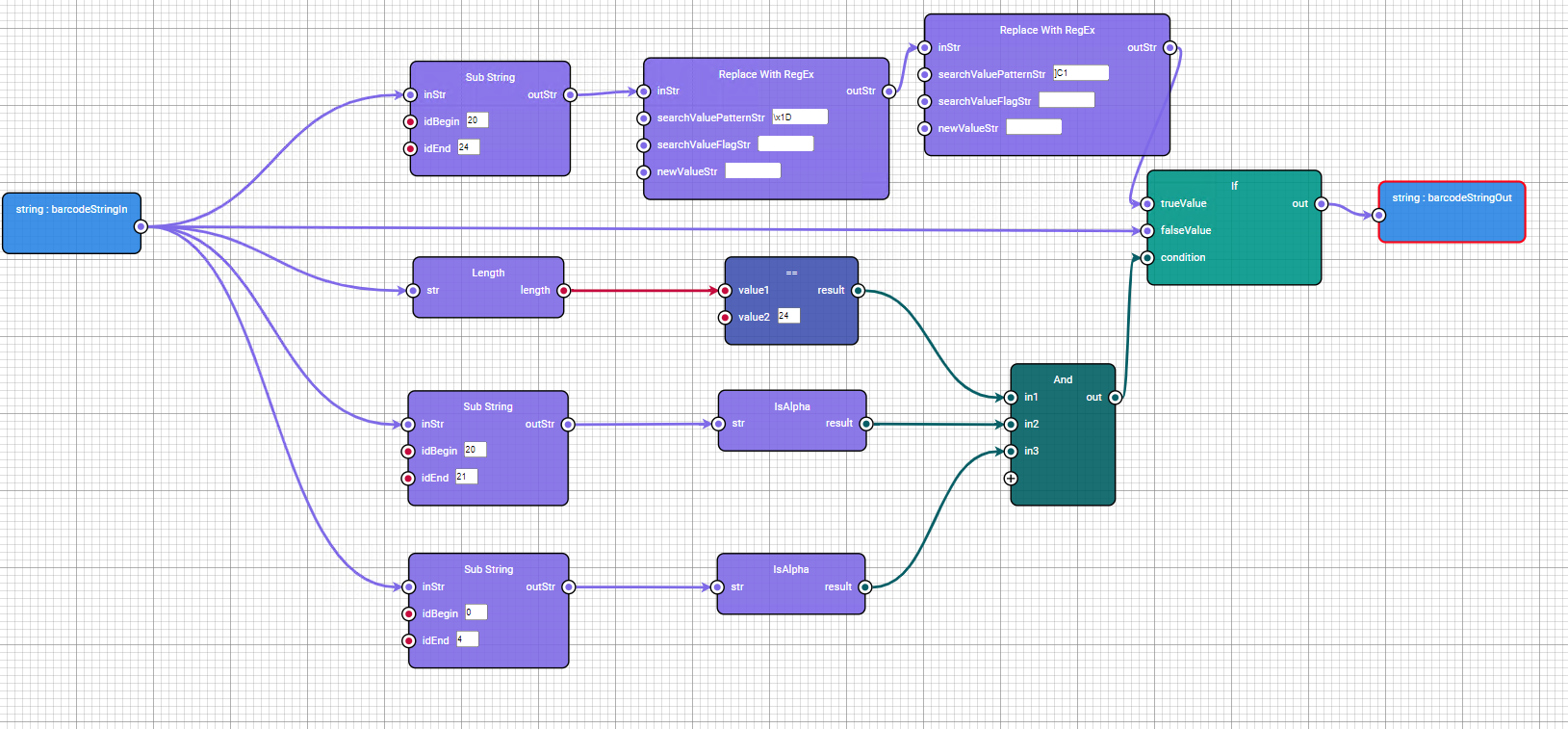
I am extracting only a part of a GS1-128 barcode using a formatter. The following conditions apply:
- The string has 24 characters
- The 20th character is a letter
- The code starts with 4 letters
If all conditions are met, the last 4 characters of the string should be returned.
The issue I am facing is that the control character “]C1T” is always included. How can I remove this control character in the formatter so that only the last 4 characters of the string are returned?
Many thanks for your help!
Regards,
Benni
Hi @Benjamin_Schurr,
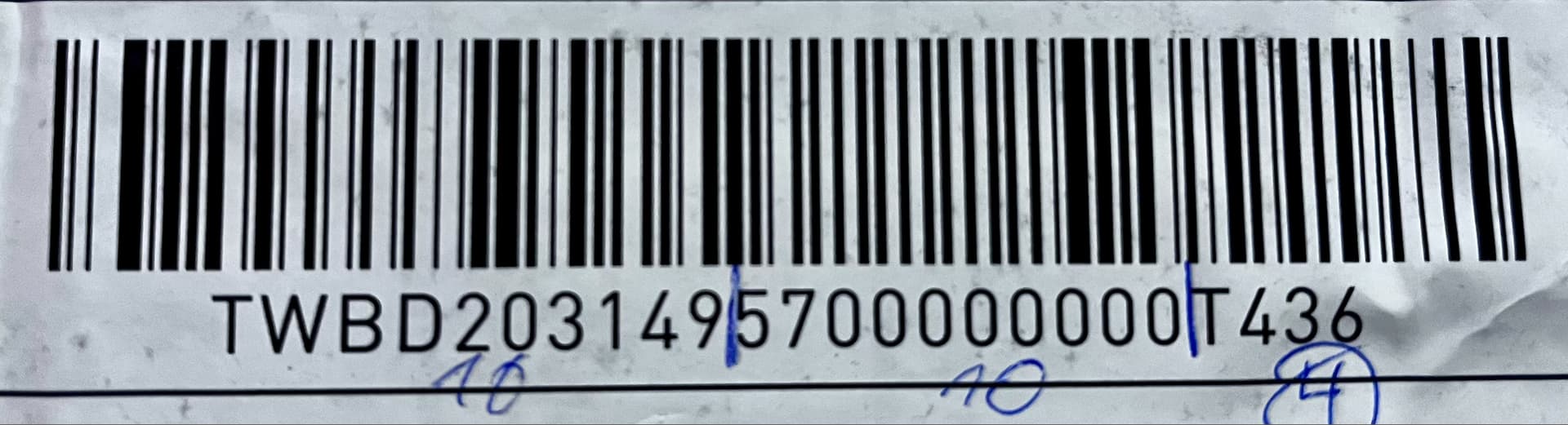
I would love to help you with your Visual Formatter project. Can you please share a good photo of an example barcode? And define the projected output? This would help me a lot. Thanks!
P.s. working with the length of a GS-128 barcode can be tricky because of the non-printable characters.
Gr Peter.
Hi Peter,
thanks a lot for your help. Please find attached a photo of the barcodeTWBD2031495700000000T436.
The desired output should be only the last 4 characters of the string, without any control or non-printable characters.
Gr
Benni
Hi @Benjamin_Schurr,
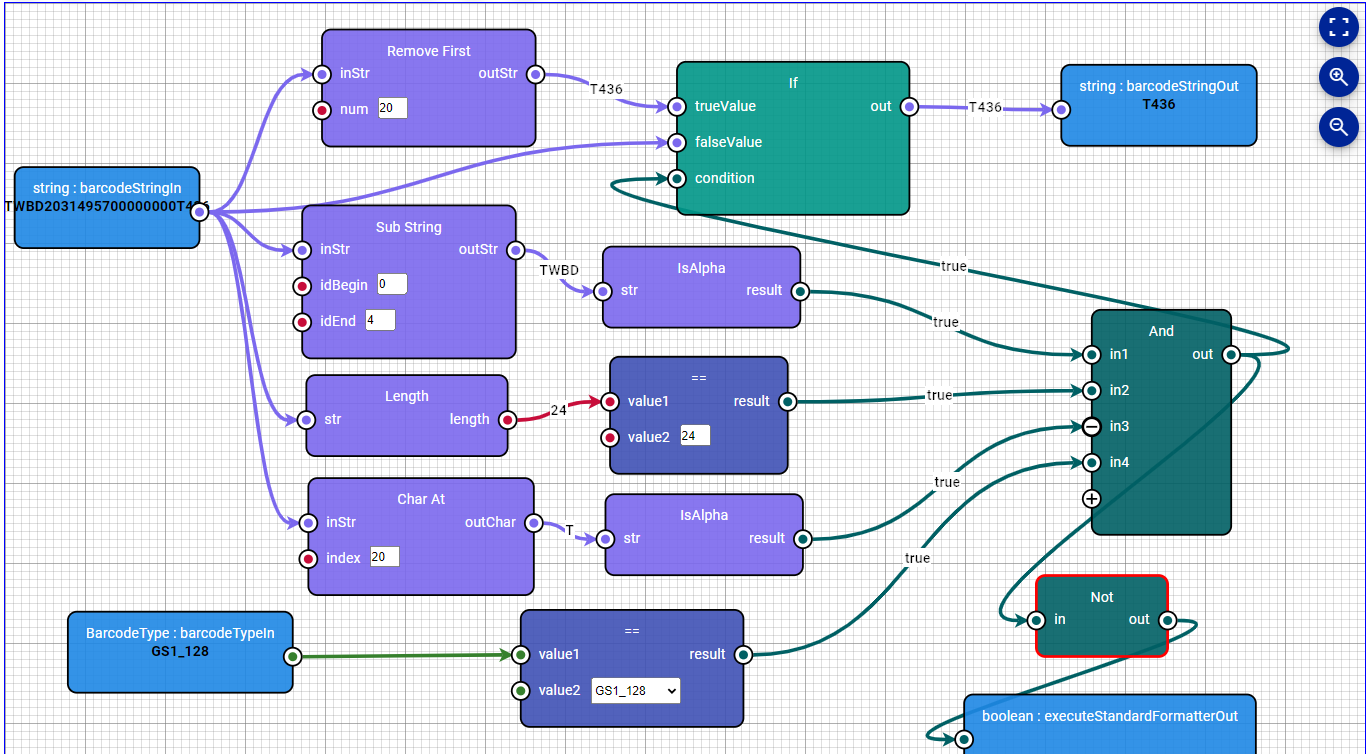
Thank you for the barcode. I replicated your project and made some minor changes. It seems to work fine like this:
Not sure you ment that you did need a LF at the end of the stripped barcode or not. But in my example it does not.
Let me know if it works or not.
Gr Peter
1 Like
Hello Peter,
thank you for your help. It works perfectly.
Gr Benni
1 Like