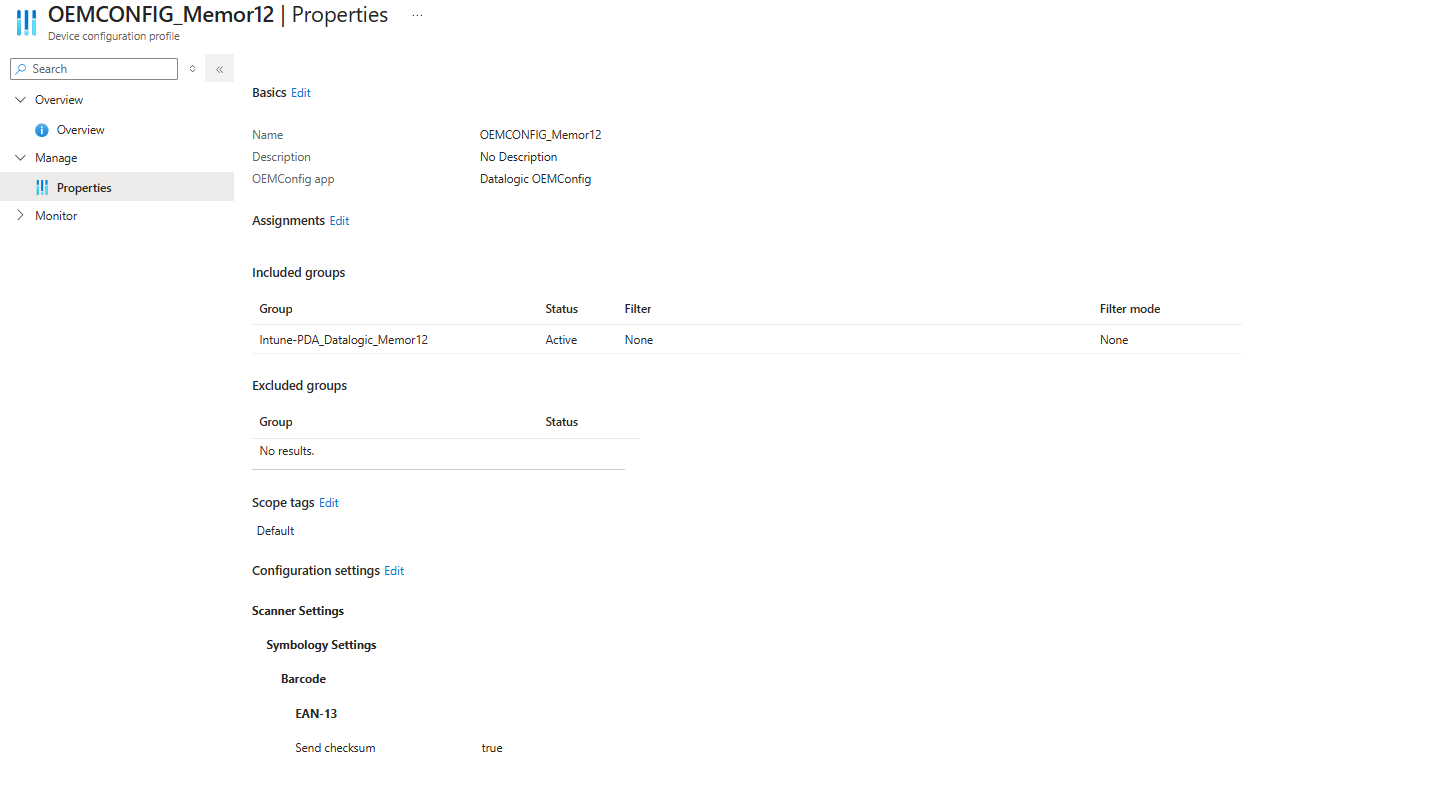
while trying to deploy our Memor 12 devices in Kiosk mode, we encountered a problem that caused OEMConfig to stop syncing. After removing the device restriction policy that enabled Kiosk mode, OEMConfig started syncing again.
Do you have any idea what could be causing this issue?
We are having the same issue with the Memor 12. Enrolled in intune as dedicated device (kiosk).
The Memor 12 Scan2Deploy app comes back with “Oemconfig settings failure”. This both on Android 13 and 15.
Interestingly, on the Memor 11 with android 11 it does work, but on Android 13 it doesn’t.
Could this be an Android Security restriction, which requires additional access for the S2D app to make changes ?
There is further testing I am going to do with the App and it’s Intune settings, but the deployment definitely fails when using both the QR code generated by the app and when using a configuration profile in Intune.
Welcome to our developer forum. You might want to read this forum post, where one of my colleagues gave excellent advice on how to configure Intune to use OEMConfig. Please see this thread:
Please look for Simone’s answer. If you have more questions, please ask.
Hi Scott,
Thanks a lot for providing the post with the solution, however I believe what is being advised there is to use the Datalogic Launcher, rather than the Managed Home Screen provided by Microsoft, or am I mistaken?
I have used the AE Enhanced QR code to enroll the devices, and to deploy the OEMconfig settings we have tried using both the Scan2Deploy and the OEMconfig configuration via Intune, and neither are working, however the deployment via intune shows as “Successful” despite the EAN-13 Send checksum being disabled.
I’m glad that the settings failure is overcome now. That’s one good step forward.
Yes, that example is for Launcher, but you don’t need to stick to that if you’re already using Managed Home Screen. Use the solution you’re comfortable with.
You didn’t write which kiosk mode you’re using in Intune…. Another quirk with kiosk mode using Intune is that you should stay way from single-app kiosk mode on Datalogic products and always select multi-app kiosk mode. We have background processes that don’t get communication or even permission to launch if Intune admins use single-app kiosk mode. If you only want to expose one app in the MHS, using kiosk mode in multi-app mode will still allow those background processes, like decoding, to function correctly.
Also, depending on the system apps you’re trying to configure with Intune, you may need to add some of our apps to to your profile as “Managed Google Play apps.” Launcher is one, for example, even if you just wrote that you prefer to use MHS. Others include Datalogic Settings, Enterprise Browser, Logger, etc. If you’ve done this already… good. If not, you might want to look into it. Let me know if you need more steps on doing this in Intune, or if you have any other questions.
Hi Scott,
The setting failure is not overcome, Intune is displaying this as successfully deployed, but the actual settings never apply to the device, leaving us with a false positive result.
I will try to add all the Datalogic apps to our Intune App deployment to make sure this is not restricting Intune from deploying the policies correctly.
I have already added to our Managed google play apps the OEMConfig app which I believed this being the only app required for OEMConfig policies to be deployed, I will try deploying the Launcher as well even if we are not using it and use the MHS.
We are using Kiosk mode with multi-apps, via the MHS launcher.
I will come back to you with a more detailed answer once all the advised steps have been taken.